Welcome! Online meetings are a modern way to learn, work, and collaborate without physical distance barriers. Using free apps, you can hold meetings, classes, or presentations effectively — from home or office.
Online Meetings: Free Apps for Learning & Business
Popular Online Meeting Apps
-
Zoom: Offers online meetings, screen sharing, and breakout rooms.
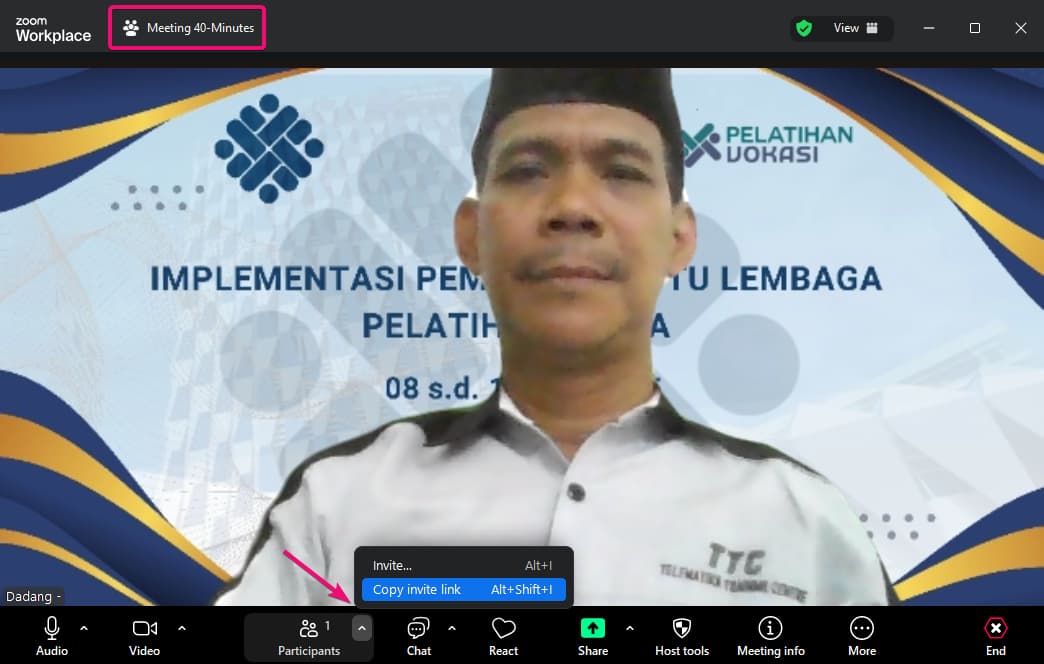
Zoom Dashboard 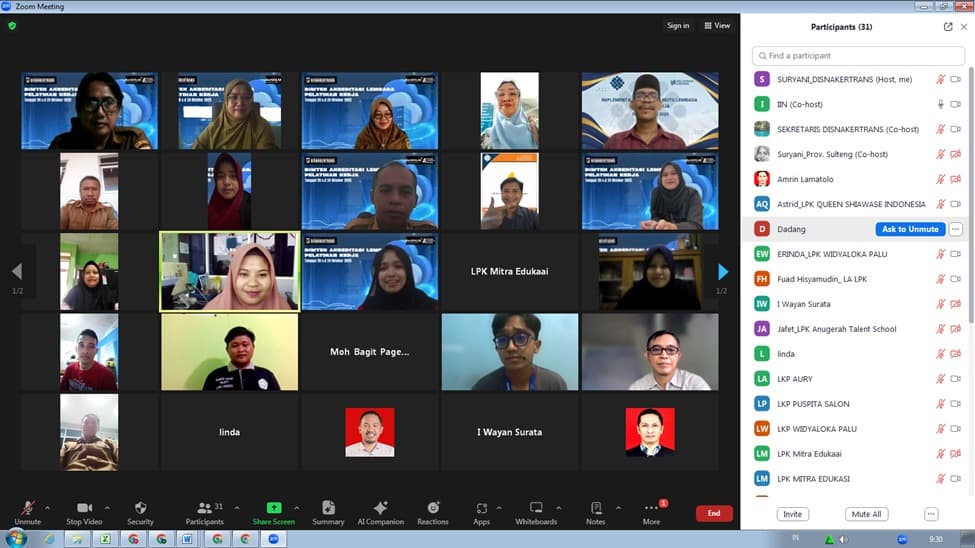
Example of a Zoom Session How to use Zoom: Download from Zoom Download. Sign up or log in, create a new meeting or join via link. Use Share Screen for presentations and Chat to interact.
-
Google Meet: Integrated with Gmail, simple to use, and free.
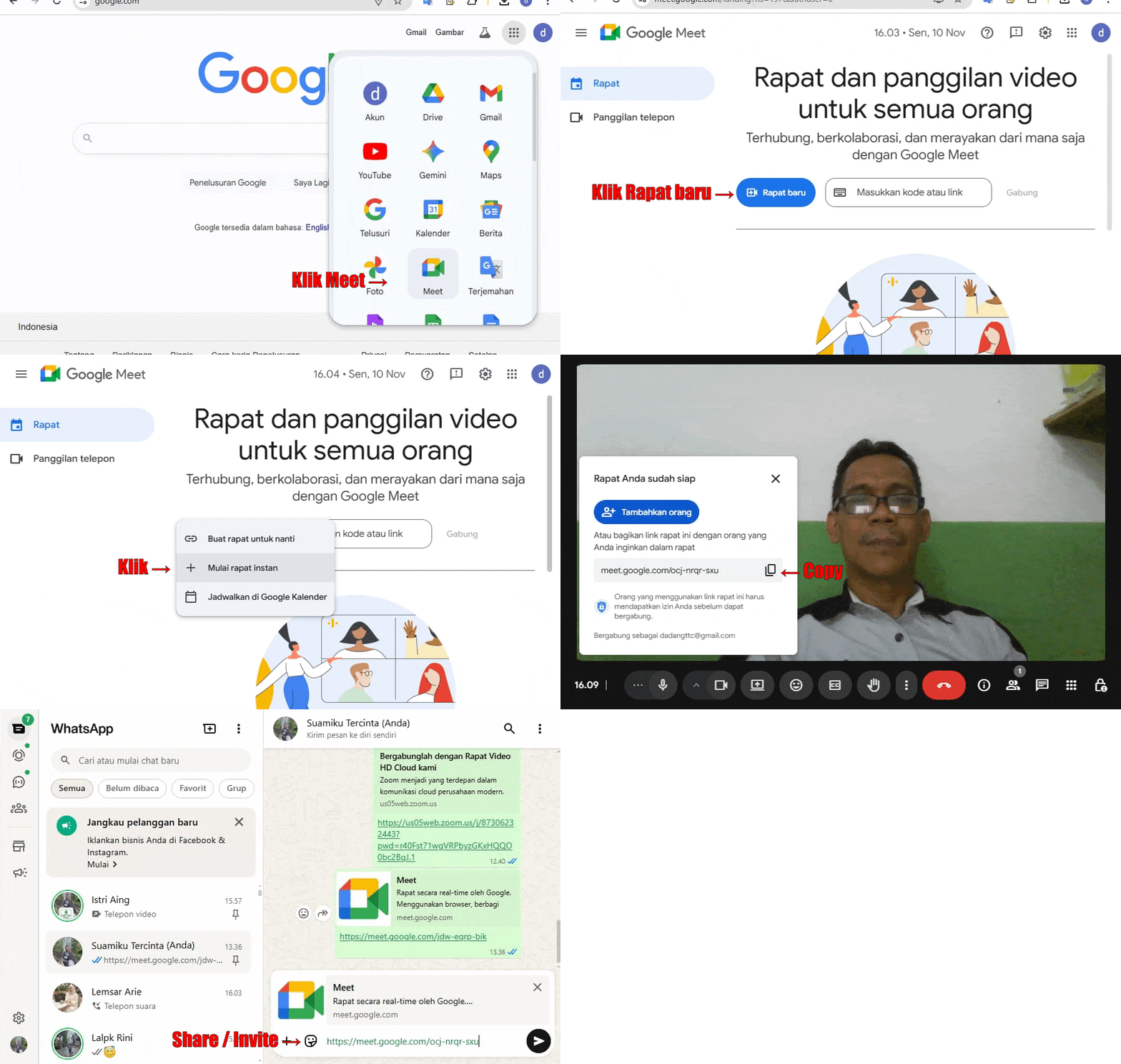
Meet Dashboard Example of a Google Meet Session How to use Google Meet: Go directly to meet.google.com or open via Gmail. Click New Meeting to start or Join with code to enter an existing one. Use Present to share your screen.
-
Microsoft Teams: Chat, meetings, and document collaboration.

Microsoft Teams Dashboard (Microsoft) How to use Teams: Download from Microsoft Teams. Log in with a Microsoft account, create or join a team, and schedule meetings via Calendar. Use Share content to present.
-
Jitsi Meet: Free, open-source, and no login required.
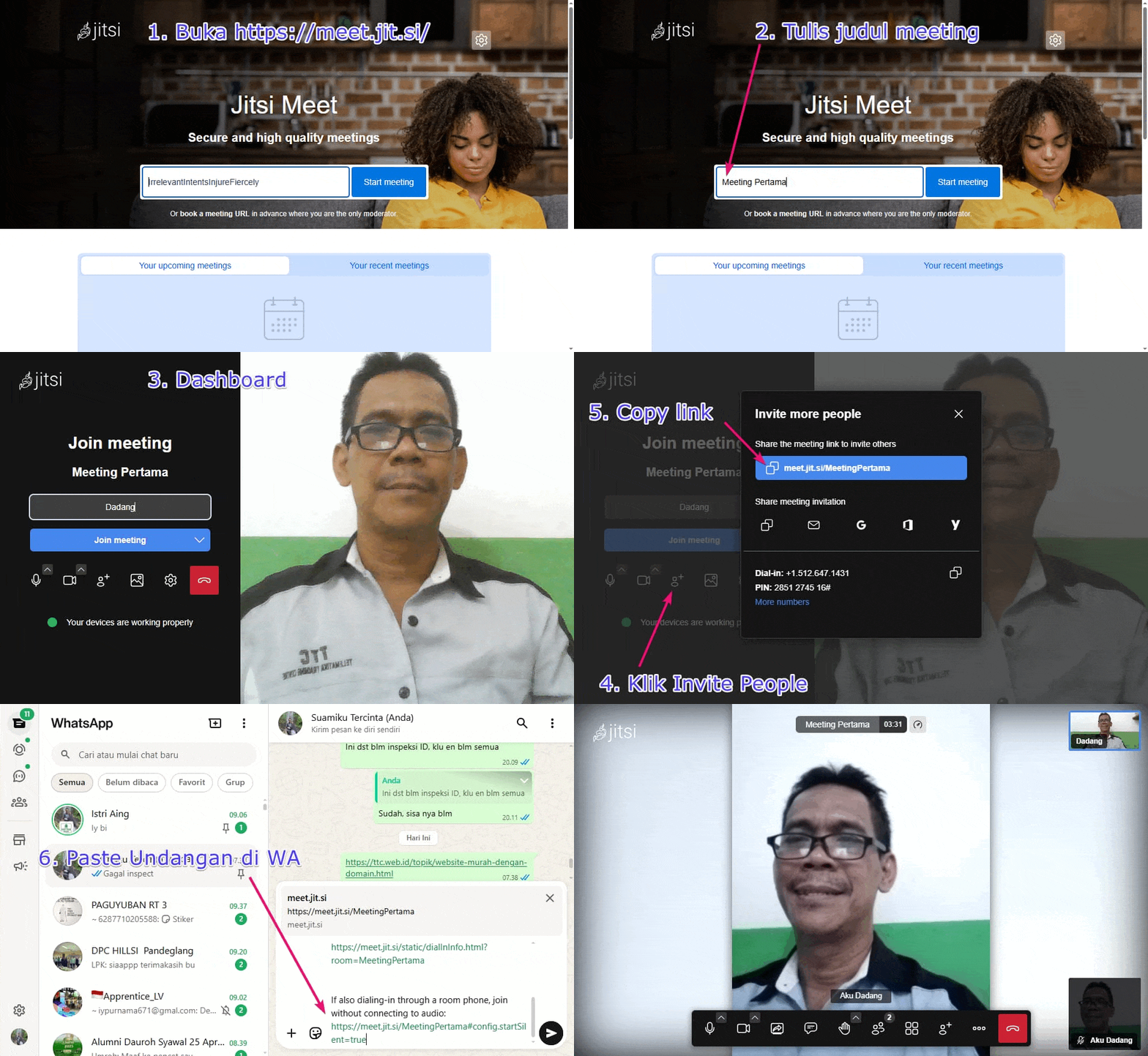
Jitsi Dashboard How to use Jitsi Meet: Visit meet.jit.si, type a new meeting name and click Go. Share the link with participants — no account needed. Use Share Screen to present.
Tips for Effective Online Meetings
- Prepare a clear agenda before the session.
- Use good-quality cameras and microphones.
- Take advantage of screen sharing or presentation features.
- Manage speaking turns so everyone can contribute.
- Record notes or use the chat as a digital notepad.
- Monitor engagement and use polls if needed.
Conclusion
Online meetings make learning, working, and collaborating easier and more flexible. Choose the app that best fits your needs, apply the right tips, and ensure everyone can participate comfortably.
Get Started Now!
Try one of these free online meeting apps for your next meeting or class.
Try ZoomTry Google Meet
Want to learn online? Click here!